Are maintenance requests getting lost in emails and spreadsheets? Do work orders stall because responsibilities are unclear? Is it difficult to measure response times, repair costs, and technician performance?
For factories, hospitals, commercial buildings, universities, and multi-site facilities, these problems can lead to avoidable downtime, repeated failures, and higher operating costs.
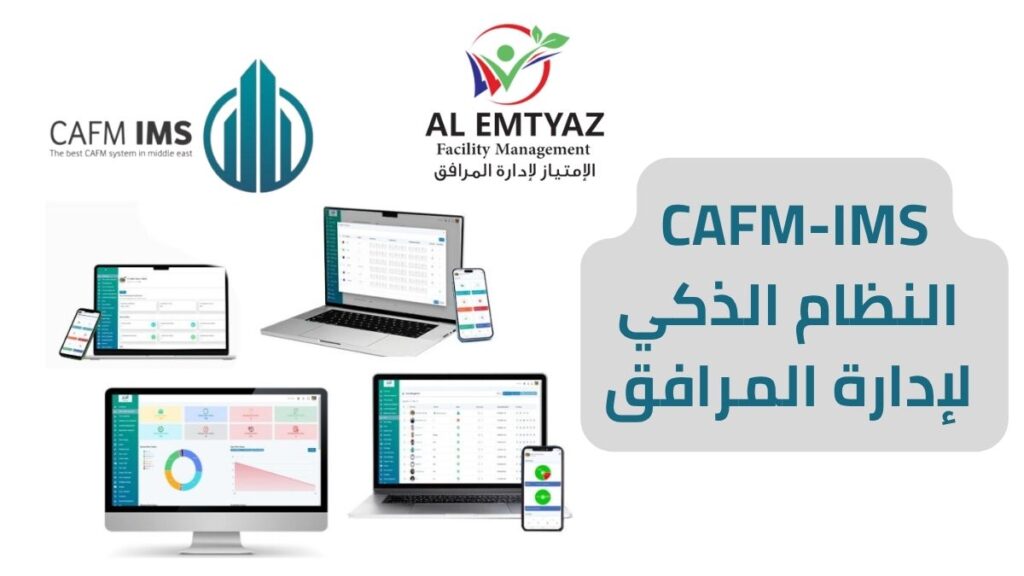
Maintenance management software from AL Emtyaz brings maintenance requests, work orders, preventive maintenance, asset records, spare parts, and performance reporting into one digital platform. Instead of chasing updates, your team can follow every task from the initial request through completion and review.
Designed for organizations seeking a practical Computerized Maintenance Management System (CMMS), the platform helps maintenance managers and technical teams:
- Log and track maintenance requests in real time.
- Create, assign, and monitor digital work orders.
- Schedule planned preventive maintenance (PPM).
- Maintain equipment histories and manage spare parts.
- Monitor technicians, response times, and service level agreements (SLAs).
- Review maintenance KPIs and export management reports.
Request a free demo of the maintenance management system by calling 00962792240053. See how a connected maintenance workflow can support your operations.
Prefer WhatsApp? Use the contact button below to speak with our team.
What Is Maintenance Management Software (CMMS)?
Maintenance management software, often called CMMS software, is a digital system for planning, assigning, documenting, and analyzing maintenance activities. It centralizes information that would otherwise be scattered across spreadsheets, paper forms, phone calls, and messaging apps.
The system gives maintenance teams a shared view of incoming requests, work in progress, equipment condition, maintenance schedules, materials used, and completed jobs. Managers can see what needs attention, which technician is assigned, and whether work is being completed within the expected time.
A well-organized maintenance management system supports both corrective maintenance after a fault and preventive maintenance before equipment fails. This makes it easier to plan workloads, reduce avoidable disruption, and use maintenance budgets more effectively.
AL Emtyaz Facilities Management offers a maintenance software solution alongside implementation guidance and technical support, helping teams move from fragmented manual tracking to a more consistent digital process.
How the Maintenance Management System Works: From Request to Closure
The software connects the full maintenance lifecycle in a clear, traceable workflow. Each stage can be recorded and reviewed, making it easier to maintain accountability across sites and teams.
1. Submit a Maintenance Request
An authorized employee can register a maintenance issue through a web interface or mobile application. The request can include the fault description, building or asset location, priority, and supporting photos. Once submitted, the report becomes part of the maintenance history.
2. Generate and Assign a Work Order
According to configured workflow rules, the system can create or route a maintenance work order to the appropriate team. Assignment may take into account the type of problem, equipment location, technician specialization, and required response priority.
- Classify requests as urgent, routine, or scheduled.
- Assign responsibility to a technician or maintenance team.
- Notify the assigned staff member with the relevant job details.
3. Perform the Work and Update Its Status
Technicians can review assigned work orders on their phones, record actions performed, add notes and photographs, and register any replacement parts or materials used. Supervisors can follow status changes without relying on repeated calls for updates.
4. Review and Close the Work Order
After the work is completed, the task can move through an approval process or close automatically, depending on the configured settings. Completion details are retained in the asset record, and relevant stakeholders can receive status notifications.
5. Measure Maintenance KPIs
Every completed and outstanding task adds useful data to management dashboards. Teams can analyze performance using measures such as:
- Maintenance request response and resolution times.
- Work orders completed on schedule.
- Preventive versus corrective maintenance activity.
- SLA compliance and overdue work orders.
- Technician workload, productivity, and recurring faults.
These records help managers identify delays, adjust workloads, and make decisions based on actual maintenance activity. Reporting data can also support additional analysis in Microsoft Power BI where integrations are configured.
Why Manual Maintenance Tracking Creates Operational Problems
Spreadsheets, email threads, and paper logs may work for a small number of tasks, but they become harder to manage as buildings, assets, and maintenance requests increase. The biggest challenge is often not recording an issue; it is knowing what happened afterward.
- Lost or overlooked requests: Fault reports may be buried in separate inboxes or messaging conversations.
- Unclear responsibility: Without assigned ownership, teams cannot quickly identify who should act next.
- Limited equipment history: Previous failures, repair dates, and parts usage are difficult to locate.
- Repeated breakdowns: A lack of consistent records makes recurring problems harder to identify and investigate.
- Slow reporting: Monthly maintenance reports require manual consolidation and extra checking.
- Poor visibility into costs: Labor, materials, and maintenance activities are recorded in different places.
- Weak KPI and SLA tracking: Managers struggle to compare actual response times with service commitments.
- Multi-site complexity: Separate spreadsheets for every building make organization-wide reporting difficult.
A centralized maintenance management system gives each request a documented status, owner, timeline, and outcome. It improves visibility for day-to-day teams and provides a more reliable record for operational planning.
Key Modules of the Maintenance Management Software
AL Emtyaz brings the core functions of maintenance operations together in one platform. The modules below support the full cycle from fault reporting to performance analysis.
1. Work Order Management
Create maintenance work orders, set priorities and due dates, assign technicians, follow progress, and retain completion evidence. Photos, technical notes, task updates, and repair information can be attached to each job. A centralized work order management system also makes pending work easier to review.
2. Preventive Maintenance Scheduling (PPM)
Plan recurring inspections, servicing, and equipment maintenance in advance. Automated reminders help teams carry out planned preventive maintenance on time, rather than waiting for a breakdown to trigger action. The result is a clearer maintenance calendar and better control over routine tasks.
3. Equipment and Asset Management
Keep a digital maintenance record for each asset, including information such as equipment type, location, service history, previous faults, and upcoming maintenance dates. This supports asset maintenance management for air-conditioning systems, pumps, electrical equipment, and other operational assets.
4. Incident and Breakdown Reporting
Document unexpected failures and maintenance-related incidents with descriptions, photographs, assigned staff, and resolution details. Standardized records make follow-up, investigation, and recurring fault analysis easier.
5. Spare Parts Usage Tracking
Record which replacement parts were used for each repair, when they were installed, and their associated costs. Linking parts consumption to completed work orders improves traceability and supports better maintenance cost analysis.
6. Inventory Management
Track spare parts stock levels, storage locations, and replenishment needs. When inventory information is connected to maintenance work orders, teams can plan repairs with better visibility into parts availability.
7. Technician and Maintenance Team Management
Organize technical teams by location or specialization, distribute assignments, and track workload and response performance. Supervisors can see which tasks are assigned, in progress, completed, or delayed.
8. SLA Management and Performance KPIs
Measure actual service performance against established service level agreements (SLAs). Review response and resolution times, overdue tasks, completion rates, and maintenance trends so that delays can be addressed with better planning.
9. Maintenance Reports and Analytics
Use dashboards and exportable reports to analyze completed jobs, unresolved requests, preventive maintenance schedules, asset issues, and operating patterns. Data can be prepared for deeper analysis using tools such as Power BI, depending on the integration setup.
Benefits of a Centralized CMMS for Maintenance Managers
A CMMS maintenance management system is valuable because it makes routine work easier to coordinate and results easier to measure. Instead of managing maintenance through disconnected updates, everyone works with the same operational record.
- Better task control: Each maintenance request has an identifiable status, owner, and next step.
- Less unplanned downtime: Scheduled maintenance helps teams address service needs before they develop into major failures.
- More consistent response: Priorities and assignments make it easier to manage urgent faults.
- Improved accountability: Job histories show the work performed and when it was completed.
- Clearer cost visibility: Labor activity, replacement parts, and maintenance history can be reviewed together.
- Data-driven decisions: Dashboards support workload planning and maintenance performance reviews.
- More practical multi-site oversight: Managers can compare activities across buildings and locations from a unified system.
For technicians, mobile access means less paperwork and easier task updates. For supervisors, it means fewer gaps in information. For management, it means a stronger basis for operational improvement.
Technical Features and Flexibility of the Maintenance Software
Different facilities have different work orders, assets, reporting structures, and approval processes. The maintenance management platform is designed to accommodate operational requirements rather than forcing every organization into the same workflow.
Arabic and English Interfaces
Support teams working in Arabic or English with an interface suited to local and international staff. This can help make onboarding and daily task management more accessible.
Web and Mobile Access
Access maintenance requests, assigned work orders, updates, and records through a browser or mobile application. This helps field technicians stay connected to their work while supervisors monitor activity centrally.
Support for Multiple Sites and Technical Teams
Manage maintenance activities across individual buildings or multiple facilities. The number of supported users and sites, together with any subscription limits, can be reviewed when selecting a deployment plan.
Workflows Adapted to Different Facility Types
Configure request categories, priorities, task assignments, and reporting requirements for hospitals, factories, hotels, universities, commercial properties, and other operational environments.
Reporting, Data Export, and Integrations
Export maintenance records for analysis in Excel and explore integrations with business and reporting tools, including Microsoft Power BI and SAP. Specific API connections, data fields, and implementation requirements should be reviewed during solution scoping.
Paperless Maintenance Records
Keep work order details, supporting images, technician notes, and service histories in digital records. Reducing dependence on paper forms makes information easier to locate and share.
Regional Implementation and Technical Support
AL Emtyaz provides guidance on system setup, workflow configuration, staff training, and ongoing support. Regional support can make communication easier for teams operating in Jordan and the wider Middle East.
Practical Implementation Planning
Deployment timing depends on the number of assets, locations, users, existing records, and required integrations. A straightforward setup may be launched within days, while more complex rollouts require additional configuration, data preparation, and training.
Who Can Use Maintenance Management Software?
The system can be adapted for organizations responsible for large numbers of assets, recurring maintenance schedules, or teams working across different locations.
- Factories and industrial facilities: Track machinery faults, preventive servicing, and maintenance team activity.
- Hospitals and healthcare facilities: Organize maintenance of building systems and service-critical equipment.
- Commercial buildings and shopping malls: Manage repairs, HVAC maintenance, and facilities work orders.
- Hotels and hospitality properties: Coordinate maintenance requests and routine equipment servicing.
- Universities and educational campuses: Monitor maintenance across classrooms, administrative buildings, and shared facilities.
- Government and multi-site organizations: Standardize maintenance reporting and task oversight across locations.
Whether you need facility maintenance software for one location or a centralized CMMS for several sites, the goal is the same: improve visibility, reduce fragmented administration, and keep a dependable maintenance record.
Security, Reliability, and Implementation Support
Choosing maintenance management software also means evaluating how operational data is protected, who can access it, and how the organization will be supported after implementation.
Role-Based Access and Activity Records
Different permissions can be assigned to technicians, supervisors, and managers. This helps users access the information relevant to their roles while keeping maintenance activities documented for review.
Standards to Consider When Evaluating a System
Depending on your organization’s requirements, it may be useful to review how the software and its provider address internationally recognized management frameworks, including ISO 9001 for quality management, ISO 41001 for facility management, ISO 22301 for business continuity, and ISO/IEC 27001 for information security. These standards are evaluation references; certification status and scope should be verified from current supporting documentation.
Configuration, Training, and Ongoing Assistance
Implementation should cover an assessment of the facility’s workflows, the setup of maintenance categories and assets, user permissions, staff training, and an agreed support process. AL Emtyaz can help organizations assess these needs and plan how to introduce the software into daily maintenance operations.
Frequently Asked Questions About Maintenance Management Software
What is the difference between CMMS and maintenance management software?
CMMS stands for Computerized Maintenance Management System. In everyday use, CMMS software and maintenance management software are often used interchangeably to describe tools for managing work orders, equipment records, preventive maintenance, and reporting.
Can the software schedule preventive maintenance automatically?
Yes. Preventive maintenance tasks can be scheduled in advance, with reminders and work order workflows configured around the maintenance requirements of different assets.
Can technicians update maintenance jobs from their phones?
The software supports mobile access so that authorized technicians can view assignments, change task status, and add notes or photographs while working on site.
Does the system manage spare parts and equipment histories?
Yes. Asset records, spare parts usage, inventory information, and completed work orders help teams maintain a more complete history of repairs and ongoing service needs.
Can we use the platform across multiple buildings?
The platform is intended for single-site and multi-site maintenance operations. During a demo, confirm your required site structure, number of users, access permissions, and any commercial plan limits.
Can we connect maintenance reports with Excel or Power BI?
Reporting data can be exported, and integration options may include Excel, Power BI, or other business systems. The exact connection method and scope depend on technical requirements and configuration.
How long does it take to implement a CMMS?
Implementation depends on asset data quality, the number of locations and users, workflow complexity, and any external integrations. AL Emtyaz can review your requirements and outline an appropriate setup and training plan.
Is a free demonstration available?
Yes. Contact AL Emtyaz on 00962792240053 to request a free demonstration and discuss the maintenance processes you would like to manage digitally.
Request a Free Maintenance Management Software Demo
Stop relying on scattered maintenance records and manual follow-ups. Bring maintenance requests, preventive schedules, equipment histories, work orders, and performance reporting into one structured system.
AL Emtyaz Facilities Management can help you explore a maintenance management software (CMMS) solution that fits your facility, your teams, and your operating procedures.
Call 00962792240053 to request your free demo and discuss maintenance software for your facility. You can also reach our team through WhatsApp using the button below.