Are unexpected equipment failures, missing maintenance records, or scattered spreadsheets making it harder to manage your facility? Without a reliable way to track assets, your team can miss scheduled servicing, lose repair history, and spend more time investigating problems than solving them.
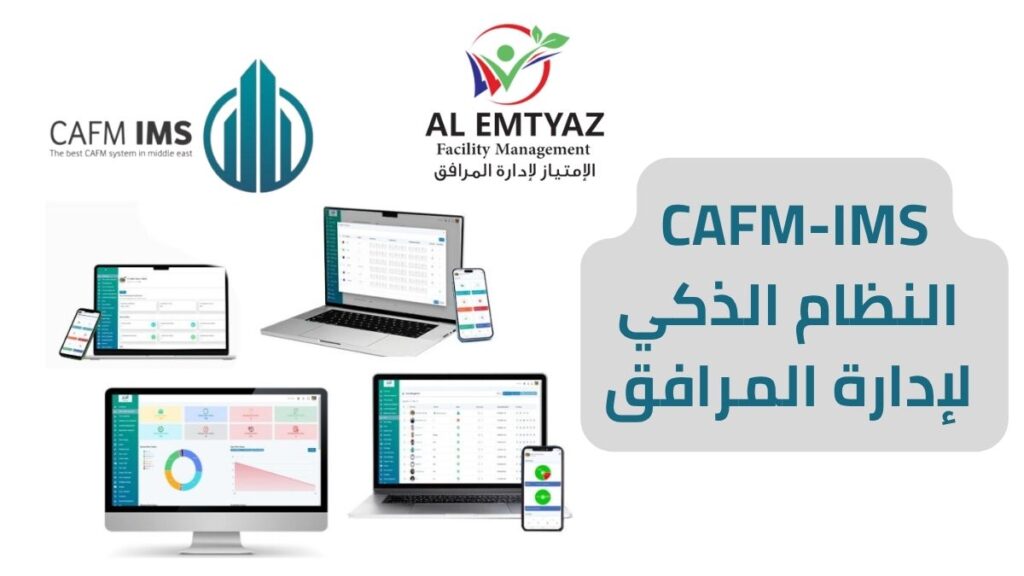
Equipment management software from AL Emtyaz brings equipment tracking, preventive maintenance schedules, work orders, service history, and operating cost data into one centralized system. Manage electrical and mechanical equipment, pumps, cooling units, and other facility assets through a web dashboard and mobile app.
With QR code equipment tracking, authorized staff can scan an asset to access its information and maintenance history. Automated service reminders, technician updates, and equipment performance reports help you plan maintenance instead of relying only on emergency repairs.
Request a free equipment management software demo from AL Emtyaz Facilities Management. Call 00962792240053 to explore how the system can support your equipment and maintenance operations.
Prefer WhatsApp? Contact our team using the button below:
What Is Equipment Management Software?
Equipment management software is a digital platform for registering, monitoring, and maintaining the equipment used across a facility. It gives maintenance managers and technicians a consistent record of each physical asset, including its location, condition, service requirements, and operating history.
Rather than searching through paper files or disconnected spreadsheets, teams can use a centralized equipment maintenance tracking system to review essential information for each asset:
- Equipment type, manufacturer, model, serial number, and installation date
- Assigned department, facility location, and responsible team
- Previous repairs, inspections, and maintenance activities
- Operating age, usage information, and maintenance frequency
- Replacement parts and relevant service notes
- Maintenance costs, estimated depreciation, and asset lifecycle information
A complete asset record is only the starting point. The system also supports scheduled maintenance reminders and reports that highlight frequently repaired equipment, recurring issues, and changing operating costs. This helps facility teams make informed decisions about servicing, repair, and replacement.
Why Do Facilities Need Equipment Management Software?
Unexpected failures can disrupt operations, delay work, and increase maintenance spending. When equipment records are incomplete, it becomes difficult to identify repeat problems or confirm whether preventive maintenance has been completed.
By combining equipment tracking software with maintenance planning, AL Emtyaz helps organizations improve asset visibility, coordinate technical teams, and identify opportunities to reduce avoidable downtime. Results depend on the condition of the equipment and how consistently the maintenance process is followed.
Key Features of AL Emtyaz Equipment Management Software
Effective equipment maintenance software should do more than store an inventory. It should connect asset information with the daily activities of technicians, supervisors, and facility managers.
1. QR Code Asset Identification and Tracking
Assign a unique QR code to each registered piece of equipment. A technician can scan the code using a mobile device to open the relevant asset record without manually searching through lists or documents. This makes QR code asset tracking particularly useful in facilities with many similar machines.
2. Complete Equipment Maintenance History
Keep inspections, breakdown reports, completed repairs, replaced parts, and previous work orders together. With a searchable equipment maintenance log, managers can review recurring problems and understand what work has already been performed.
3. Automated Preventive Maintenance Reminders
Schedule routine maintenance by date or recorded operating hours. The system sends reminders when service is due, helping teams plan inspections and preventive tasks before scheduled intervals are missed. These alerts support maintenance planning; they do not guarantee that a breakdown will be prevented.
4. Equipment Depreciation and Lifecycle Monitoring
Track useful life and depreciation-related information alongside maintenance history. Managers can compare asset age, repair frequency, and servicing costs to inform long-term equipment replacement planning.
5. Web-Based Dashboard and Mobile Access
Access equipment information through a browser and the mobile app. Managers can review activity from their desks while technicians update assigned tasks at the work site, reducing the need for duplicate paper records.
6. Mobile App for Maintenance Technicians
Technicians can receive tasks, review equipment details, and update or close work orders from their phones. Ask our team about user limits and licensing options for your facility when arranging your demonstration.
7. Role-Based User Permissions
Set access according to responsibilities. For example, a technician may need to view assigned assets and work orders, while a supervisor requires wider visibility into equipment status, costs, and operational reporting.
8. Equipment Performance and Maintenance Reports
Use equipment reports to monitor service spending, recurring breakdowns, maintenance activity, and asset performance. These reports help teams prioritize work based on recorded information rather than assumptions.
Together, these features support a practical equipment maintenance management system for organizations seeking more consistent asset records and better coordination between office and field teams.
How Equipment Tracking Software Works: From Registration to Maintenance
An effective equipment tracking process follows the asset throughout its service life, from initial registration to inspections, repairs, and eventual replacement. AL Emtyaz brings these steps together in one workflow.
Step 1: Register Every Equipment Asset
Add each item with its equipment category, serial number, manufacturer, model, installation date, facility location, department, and other relevant information. This creates a structured digital equipment register that authorized employees can refer to whenever needed.
Step 2: Link Each Asset to a QR Code
Attach the assigned QR code to the corresponding asset. A quick scan gives maintenance staff access to its identification details, previous service records, and relevant job information.
Step 3: Record Inspections, Repairs, and Work Orders
Whenever a technician inspects, maintains, or repairs equipment, the activity can be documented against the asset record. Notes on the issue, replacement parts, completion status, and supporting images build a clearer service history over time.
Step 4: Schedule Routine Servicing and Receive Alerts
Set preventive maintenance intervals and review upcoming due dates. Timely reminders help supervisors organize routine work and identify assets that require attention, without depending on manual follow-up alone.
Step 5: Monitor Equipment Status Through the Dashboard
Facility managers and maintenance supervisors can review recorded asset status, pending work orders, and service activity from a central dashboard. This makes it easier to identify overdue work, follow up with teams, and coordinate resources across departments.
This equipment management workflow connects the physical asset with its digital record, making maintenance information easier to find and act on.
Mobile Equipment Maintenance App for Field Technicians
Maintenance work happens in plant rooms, workshops, mechanical areas, and across facilities—not just at a desk. The mobile equipment management app is designed to support technicians directly where the work takes place.
Assigned Equipment and Role-Specific Tasks
Technicians see the tasks and equipment relevant to their assigned responsibilities. Role-based access helps keep the interface focused and protects information that does not need to be shared across every user.
Work Order Notifications on Mobile
When a maintenance task is assigned, the technician can receive a notification with important information such as the asset, location, required work, and target completion date.
Update Work Orders From the Job Site
A technician can mark a task as in progress, completed, or requiring follow-up. Photos, repair notes, fault details, and replaced-parts information can also be added while the job is being carried out.
Keep a Traceable Record of Completed Maintenance
Completed work is linked to the equipment history, helping supervisors review who performed the task, what was recorded, and whether additional action is required. Consistent documentation also makes future troubleshooting easier.
Offline Equipment Updates for Remote Locations
An offline mode supports technicians working in locations with temporary internet interruptions. Field updates can be synchronized once connectivity returns, subject to the enabled mobile app configuration.
A mobile-first maintenance process can reduce paperwork, improve communication between technical teams, and keep equipment records closer to the actual work performed.
Equipment Maintenance Reports, Analytics, and Cost Control
Reliable decisions start with reliable data. In addition to keeping maintenance records, the AL Emtyaz platform offers reporting tools that help managers evaluate equipment condition, service performance, and operating expenditure.
Identify Equipment With High Maintenance Costs
Compare recorded repair and servicing expenses to find equipment that requires an unusually large share of the maintenance budget. Use this information to assess whether continued repair or planned replacement is the more practical option.
Analyze Recurring Breakdowns by Type or Location
Review repeated faults by equipment category, department, or site. This can help teams investigate patterns and refine preventive maintenance schedules rather than treating every breakdown as an unrelated incident.
Monitor Equipment Performance Indicators
Review important equipment maintenance KPIs, including:
- Number and frequency of equipment breakdowns
- Maintenance and repair costs for each asset
- Recorded downtime and service interruptions
- Completion of scheduled preventive maintenance
- Equipment usage and lifecycle information
Tracking these indicators over time creates a more consistent basis for maintenance reviews and management reporting.
Review Asset Age and Depreciation
Combine useful-life information and depreciation estimates with the equipment maintenance history. This supports budget planning and helps managers identify assets approaching replacement or refurbishment decisions.
Compare Equipment Performance Across Sites
For organizations operating multiple buildings or branches, equipment data can be reviewed by site or department. This highlights variations in maintenance activity and helps management decide where to focus improvements.
Export Reports and Connect Business Intelligence Tools
Export reports in formats such as Excel and PDF, and explore integration options with Microsoft Power BI for richer equipment KPI dashboards. Available exports and integrations depend on the implemented configuration.
These reporting features turn an equipment register into a more useful management resource, helping teams understand maintenance trends, control costs, and make better-supported operational decisions.
How to Implement Equipment Management Software in Your Facility
Moving from spreadsheets and paper maintenance files to a digital system does not have to mean rebuilding every existing process at once. AL Emtyaz Facilities Management offers an implementation approach that can be adapted to your facility and equipment portfolio.
1. Get Started With Web and Mobile Access
The platform is accessed through a web browser and mobile app, without requiring a dedicated on-site server for ordinary use. Your team will need the appropriate accounts, connectivity, and initial equipment data.
2. Organize and Import Equipment Information
The setup process begins by collecting relevant asset details, locations, equipment categories, and existing maintenance information. The time required depends on the number of assets and the completeness of the available records.
3. Train Technicians, Supervisors, and Managers
Training helps each user understand the workflows relevant to their role: registering assets, scanning QR codes, completing work orders, scheduling preventive maintenance, and reviewing reports.
4. Configure the System for Your Operations
Settings, access permissions, and reporting can be adjusted to fit operational requirements. Hospitals, factories, universities, hotels, and commercial buildings may use different equipment categories and maintenance procedures.
The goal is a usable equipment management process that fits the facility rather than adding unnecessary steps to the workday. Ask AL Emtyaz about onboarding, configuration, and ongoing support when requesting a demo.
Who Can Benefit From Equipment Management Software?
Organizations that operate many physical assets can benefit from a single view of their equipment, maintenance history, and scheduled tasks. The solution can support equipment management across a range of operating environments:
- Hospitals and healthcare facilities: organize non-clinical and other applicable equipment records, inspections, and maintenance schedules.
- Factories and industrial sites: monitor machinery maintenance, recurring faults, and repair history.
- Hotels and hospitality facilities: track pumps, HVAC equipment, cooling systems, and other building assets.
- Universities and educational institutions: organize equipment across campuses, departments, and buildings.
- Commercial buildings and shopping centers: coordinate work orders and preventive servicing for shared building systems.
- Public facilities and multi-site organizations: maintain consistent equipment records across departments and locations.
Whether you need equipment maintenance tracking at one site or coordinated reporting across several facilities, the platform can provide a consistent place for asset and service information.
Quality Standards, Data Security, and System Integration
For organizations evaluating enterprise equipment management software, procurement requirements often include information security, business continuity, operational processes, and integration with existing applications.
Quality and Management Standards
For organizations with compliance requirements, relevant management standards include ISO 9001:2015 for quality, ISO 41001:2018 for facility management, ISO 22301:2019 for business continuity, and ISO/IEC 27001 for information security. Ask our team for the current status and scope of any applicable certifications.
Integration With Existing Business Systems
Explore API-based integration with existing enterprise applications such as SAP and Microsoft Power BI. Our team can review required data flows, export formats, access controls, and implementation prerequisites to determine the integration scope.
Supporting Real-World Operations
The system is relevant to public and private facilities, including hospitals, educational institutions, factories, hotels, and commercial buildings. Discuss your site requirements and request relevant examples during the demonstration.
Frequently Asked Questions About Equipment Management Software
What is the difference between equipment management software and equipment maintenance software?
Equipment management software maintains records of physical assets, including identity, location, condition, lifecycle, and costs. Equipment maintenance software focuses on servicing activities such as preventive maintenance, work orders, repair history, and technician assignments. AL Emtyaz combines these functions in one platform.
Can I track equipment using QR codes?
Yes. Each registered asset can be linked to a QR code that staff can scan using a mobile device to access its details and maintenance information.
Does the system support preventive maintenance scheduling?
Yes. You can organize recurring maintenance tasks and receive reminders based on scheduled dates or tracked operating hours, depending on the setup.
Can maintenance technicians use the software on their phones?
Yes. The mobile app allows authorized technicians to view assigned tasks, update work order status, and document maintenance activities from the work site.
Can the system help manage equipment in several buildings?
Yes. Equipment can be recorded by location, department, or site, making it easier for managers to review activity across different facilities.
How can I request a free demo?
Contact AL Emtyaz Facilities Management on 00962792240053 or use the WhatsApp contact button below to arrange a demonstration and discuss your facility requirements.
Request a Free Equipment Management Software Demo
Stop relying on scattered records to manage valuable equipment. With AL Emtyaz equipment management software, your team can organize asset records, track maintenance history, schedule preventive servicing, coordinate work orders, and review equipment performance from a central platform.
Explore how QR code asset tracking, mobile technician updates, and equipment maintenance reports can help your organization improve visibility and make more informed maintenance decisions.
Request your free demo today. Call AL Emtyaz Facilities Management at 00962792240053 to discuss your equipment tracking and preventive maintenance needs.
You can also reach our team through WhatsApp using the button below: