Are you dealing with recurring building maintenance issues, delayed repairs, missed service requests, or rising maintenance costs? Managing maintenance teams, equipment, and work orders through spreadsheets, phone calls, and paperwork can make building operations increasingly difficult.
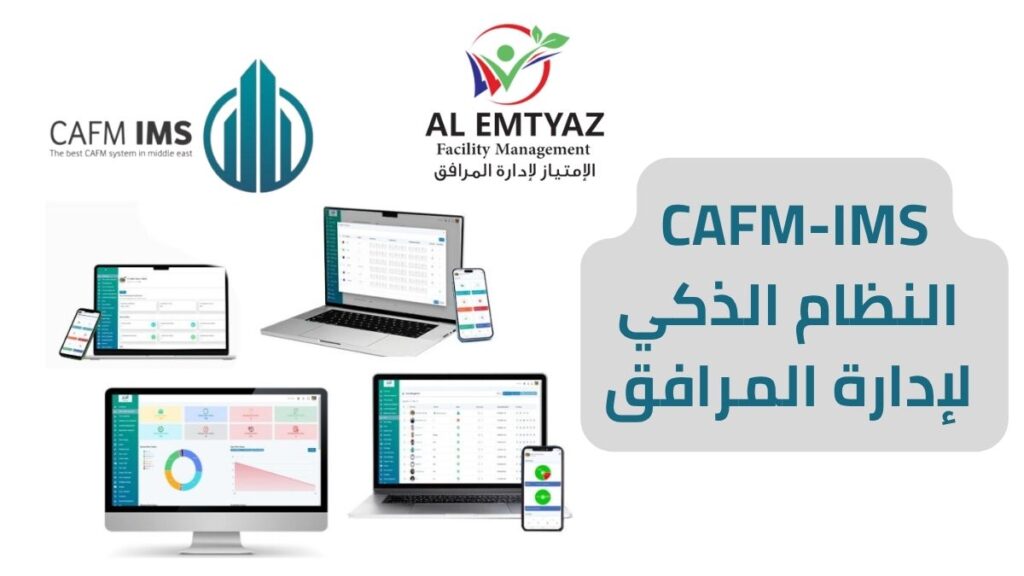
CAFM building maintenance software from AL Emtyaz Facilities Management provides a centralized digital solution for managing maintenance activities across commercial buildings, industrial facilities, hospitals, schools, offices, and other properties.
Our building maintenance management software helps facility managers organize preventive maintenance, track repair requests, assign work orders, monitor building assets, and review maintenance performance through a single platform accessible from a web browser and mobile devices.
Whether you manage one building or multiple facilities, the system helps you replace disconnected maintenance records with organized workflows, clearer responsibilities, and better visibility into daily operations.
Take control of your building maintenance operations. Contact AL Emtyaz at 00962792240053 to request a free CAFM software demonstration and explore how the system can support your facility maintenance requirements.
You can also contact our team directly through WhatsApp:
What Is CAFM Building Maintenance Software?
CAFM software stands for Computer-Aided Facility Management software. It is a digital system designed to help organizations manage buildings, facilities, maintenance operations, assets, and related service activities more efficiently.
In building maintenance, a CAFM system connects maintenance requests, work orders, equipment information, technicians, schedules, and performance reports within one centralized platform.
Instead of managing repair requests through scattered emails or maintaining separate spreadsheets for each building, facility managers can access organized maintenance information and follow each task from the initial request to completion.
The CAFM building maintenance system from AL Emtyaz is designed to support both day-to-day maintenance activities and longer-term maintenance planning, helping organizations improve coordination and make more informed operational decisions.
How Does CAFM Software Work?
A CAFM maintenance management system organizes maintenance operations through a structured digital workflow. Facility teams can use the platform to:
- Register maintenance requests submitted by employees, occupants, or on-site technicians.
- Create digital work orders with the location, problem description, priority, and assigned technician.
- Schedule preventive maintenance for building equipment and technical systems.
- Track maintenance progress from request submission through work order completion.
- Maintain asset records containing equipment details, maintenance history, and service information.
- Monitor maintenance performance using dashboards, reports, and operational indicators.
- Review maintenance costs and identify areas where resources can be managed more effectively.
By bringing these activities together, building maintenance software helps managers identify pending work, understand maintenance priorities, and maintain a consistent record of completed tasks.
From Maintenance Request to Completed Work Order
Consider a situation where an air conditioning unit stops working inside a commercial building. A staff member submits a maintenance request through the system. The request is recorded, assigned a priority, and converted into a work order for the appropriate maintenance team.
The technician receives the task details, reviews the equipment information, and updates the work order as the repair progresses. Once the maintenance is completed, the result can be documented and added to the equipment’s maintenance history.
This digital process supports better communication, creates a traceable maintenance record, and reduces reliance on repeated phone calls or manually updated spreadsheets.
Key Features of CAFM Software for Building Maintenance
Effective facility maintenance software should do more than record equipment breakdowns. It should help maintenance managers organize work, coordinate teams, track building assets, and understand maintenance performance.
The CAFM solution from AL Emtyaz brings together practical features that support the daily requirements of building maintenance departments.
1. Centralized Digital Maintenance Management
Managing maintenance through paper forms, separate spreadsheets, and messaging applications can lead to missing information and duplicated tasks.
A centralized building maintenance management system keeps maintenance requests, work orders, technician assignments, and service records organized in one digital environment.
Facility managers can review open requests, monitor completed work, and access historical maintenance information without searching through multiple files.
2. Planned Preventive Maintenance (PPM) Scheduling
Planned Preventive Maintenance (PPM) is an important part of maintaining reliable building systems. It involves scheduling routine maintenance before equipment failures occur.
CAFM software helps teams create recurring maintenance schedules for assets such as air conditioning systems, pumps, generators, electrical equipment, and other building infrastructure.
The system can generate scheduled work orders and maintenance reminders, helping technicians complete routine inspections and servicing at the appropriate intervals.
With organized preventive maintenance schedules, facilities can reduce overlooked service tasks and support more consistent equipment performance.
3. Online Maintenance Request Management
Employees, building occupants, and authorized users can submit maintenance requests digitally instead of relying entirely on telephone calls or paper forms.
Requests can include the type of problem, affected location, description, and relevant supporting information.
This makes it easier for maintenance supervisors to organize incoming requests, identify urgent issues, and coordinate the appropriate response.
4. Maintenance Work Order Management
Maintenance work order management is one of the most important functions of a building maintenance system.
When a maintenance request is received, it can be converted into a digital work order containing the necessary details for completing the task.
Each work order can include the building location, equipment involved, maintenance instructions, assigned technician, priority, and current status.
Supervisors can monitor work orders throughout their lifecycle, helping them identify delayed tasks and maintain better control over maintenance activities.
5. Automated Notifications and Maintenance Alerts
Maintenance delays often occur when tasks are assigned without clear communication or when upcoming service schedules are overlooked.
CAFM software uses digital notifications and alerts to help maintenance teams stay informed about new work orders, scheduled maintenance, and task updates.
Depending on the configured notification settings, users can receive updates through the application or email, reducing the need for repeated manual follow-ups.
6. Building Maintenance Reports and Dashboards
Maintenance reports provide valuable information about how building systems and maintenance teams are performing.
The CAFM reporting dashboard helps managers review information such as completed work orders, outstanding maintenance requests, recurring faults, and equipment maintenance records.
Instead of waiting for manually prepared summaries, management can access organized maintenance information to support operational reviews and planning.
7. Maintenance Team Performance Monitoring
CAFM software helps supervisors understand maintenance workloads and assess how efficiently tasks are being completed.
Managers can review task assignments, work order completion times, outstanding jobs, and maintenance activity across different teams or locations.
These insights help identify workflow bottlenecks, improve resource allocation, and support better maintenance planning.
8. Arabic and English Language Support
Facility maintenance teams often include employees and technicians with different language preferences.
The CAFM system from AL Emtyaz supports Arabic and English, helping organizations provide a more accessible digital maintenance environment for multilingual teams.
These features make CAFM software a practical solution for organizations seeking more structured maintenance processes, better operational visibility, and improved coordination between facility managers and technical teams.
Types of Building Maintenance Managed by CAFM Software
Buildings require different maintenance approaches depending on equipment condition, operational requirements, and the urgency of reported problems.
The CAFM building maintenance platform supports several maintenance workflows, allowing facility teams to plan recurring activities while responding to unexpected problems.
1. Preventive Maintenance (PPM)
Preventive maintenance involves inspecting and servicing building equipment at planned intervals to reduce the likelihood of unexpected failures.
Through CAFM software, facility managers can establish maintenance schedules, assign recurring work orders, and track the completion of routine tasks.
For example, a building may require regular inspections of HVAC equipment, electrical systems, water pumps, and standby generators.
The system helps organize these activities into structured maintenance plans, making it easier to identify upcoming inspections and overdue tasks.
2. Reactive Maintenance
Reactive maintenance takes place when a problem is reported and requires a response from the maintenance team.
Examples include a leaking pipe, malfunctioning lighting, an air conditioning fault, or a reported electrical issue.
CAFM software helps record the reported problem, assign the appropriate technician, and follow the repair process until the task is completed.
Each completed request contributes to the maintenance history, providing useful information for future inspections and repairs.
3. Corrective Maintenance
Corrective maintenance focuses on repairing identified faults or restoring equipment to the required operating condition.
During routine inspections, technicians may discover damaged components, abnormal equipment behavior, or problems that require additional repairs.
These findings can be documented in the CAFM system and converted into corrective maintenance work orders.
This helps ensure that identified defects are recorded and assigned for appropriate follow-up rather than being overlooked.
4. Emergency Maintenance
Emergency maintenance involves urgent problems that may affect building operations, occupant safety, or critical equipment availability.
Examples include significant water leaks, major electrical faults, and unexpected failures of essential building systems.
CAFM software allows these incidents to be registered with a high priority and assigned to the relevant maintenance personnel.
Digital records help supervisors follow the incident, document the response, and review the maintenance actions taken.
By organizing preventive, reactive, corrective, and emergency maintenance within a single platform, organizations can establish more consistent workflows across their buildings and maintenance teams.
Maintenance Team Management with CAFM Software
Efficient building maintenance depends on more than the technical skills of individual technicians. It also requires clear responsibilities, organized task assignments, effective communication, and reliable maintenance records.
CAFM maintenance team management helps facility supervisors coordinate daily work and maintain visibility into maintenance activities from request submission to work order closure.
1. Assign Maintenance Tasks by Technical Specialization
Building maintenance involves different technical disciplines, including electrical maintenance, plumbing, HVAC maintenance, and other building services.
The system helps organize technicians according to their specialties, allowing maintenance supervisors to assign relevant tasks to suitable team members.
This structured approach reduces confusion over responsibilities and helps maintain an organized maintenance workflow.
2. Mobile Work Orders for Maintenance Technicians
Maintenance technicians often work across different areas of a building or travel between multiple facilities.
With mobile access to the CAFM work order system, technicians can review assigned tasks and the information required to complete them.
Work order details may include the maintenance location, equipment information, reported problem, priority, and relevant instructions.
Providing this information digitally helps reduce unnecessary communication and makes task updates easier to manage.
3. Track Maintenance Tasks by Time and Location
Supervisors need to know which maintenance tasks are pending, currently being performed, or already completed.
The CAFM system allows maintenance activities to be organized by building, location, assigned technician, and work order status.
Where time and location tracking features are configured, managers can also review relevant task timing and location information.
This helps identify delayed activities and supports more effective coordination across maintenance teams.
4. Before-and-After Maintenance Documentation
Photographic documentation is useful for reviewing maintenance conditions and confirming completed work.
Technicians can attach relevant photographs to maintenance records, documenting equipment conditions before and after maintenance activities.
This creates a clearer record of the work performed and supports maintenance supervision, internal reporting, and future inspections.
5. SLA Management and Maintenance Priorities
Not every maintenance issue requires the same response time. A minor maintenance request may have a different priority from a problem affecting an essential building system.
Service Level Agreements (SLAs) define agreed service expectations, including response or resolution targets for different maintenance activities.
CAFM software helps teams organize maintenance tasks according to assigned priorities and service requirements.
Managers can review progress against established maintenance targets and identify tasks that require additional attention.
6. Centralized Maintenance History
When maintenance records are scattered across separate files, technicians may spend unnecessary time investigating problems that have already occurred.
A centralized equipment maintenance history allows teams to review previous faults, completed repairs, and past service activities.
This information can help technicians recognize recurring problems and support more informed maintenance decisions.
Through organized work orders, mobile access, maintenance records, and performance monitoring, the CAFM solution from AL Emtyaz helps maintenance departments improve communication and coordinate work across different facilities.
How CAFM Software Helps Reduce Building Maintenance Costs
Unexpected equipment breakdowns and poorly coordinated maintenance activities can increase operating expenses and disrupt building operations.
Using building maintenance software helps organizations manage maintenance information more systematically and identify opportunities to control costs.
1. Reduce the Risk of Unexpected Equipment Failures
Routine inspections and preventive maintenance help identify wear, deterioration, and potential equipment problems before they develop into more serious failures.
CAFM software supports this process by organizing preventive maintenance schedules and keeping planned service activities visible to maintenance teams.
Consistent maintenance can reduce avoidable breakdowns and help maintain the reliability of important building systems.
2. Improve Building Asset Management
Buildings contain valuable equipment and infrastructure that require ongoing maintenance, including HVAC systems, electrical installations, pumps, generators, and mechanical equipment.
A building asset management system helps facility managers maintain organized information about these assets, their locations, and their service histories.
Access to accurate equipment records supports maintenance planning and helps managers make better-informed decisions about repairs and asset replacement.
3. Schedule Maintenance Before Problems Become Expensive
Minor equipment problems can become more expensive when maintenance is repeatedly postponed.
CAFM software helps organizations plan inspections, track maintenance findings, and schedule corrective work before identified faults become more serious.
For example, addressing an abnormal pump vibration during a scheduled inspection may help prevent additional damage and more extensive repairs.
4. Plan Maintenance Based on Equipment Operating Hours
Some equipment requires maintenance based on actual usage rather than calendar dates alone.
Where operating-hour data and the relevant scheduling configuration are available, a CAFM system can support maintenance planning based on equipment usage.
This approach helps organizations align maintenance intervals more closely with operational requirements, particularly for heavily used equipment.
5. Identify Recurring Faults and Their Root Causes
Repeated maintenance requests for the same asset may indicate an underlying problem that has not been fully resolved.
By reviewing equipment maintenance histories and recurring fault records, maintenance managers can identify patterns that require further investigation.
Root Cause Analysis (RCA) helps teams investigate why a problem continues to occur instead of repeatedly addressing only its symptoms.
Organized maintenance data supports this analysis and can contribute to more effective long-term corrective actions.
These capabilities help organizations approach building maintenance as an ongoing operational process rather than a series of disconnected repairs.
CAFM Software Integration with Other Building Management Systems
Many commercial and industrial facilities use multiple digital systems to manage building operations, equipment, energy consumption, accounting, and workforce activities.
Integrating these systems with a CAFM building maintenance platform can improve information sharing and reduce the need to manually transfer data between different departments.
The availability and technical scope of integrations depend on the existing systems, supported interfaces, and project requirements.
1. Integration with Energy Management Systems
Energy management systems monitor energy consumption and help organizations understand how buildings and equipment use electricity and other resources.
When compatible systems are integrated, energy information can support maintenance planning by helping teams identify equipment with unusual consumption patterns or potential efficiency problems.
This can provide additional operational information for investigating equipment performance and planning maintenance activities.
2. Integration with Fire Alarm and Safety Systems
Building safety systems require reliable inspection procedures, maintenance records, and appropriate follow-up when faults are reported.
Where technically supported, integration with compatible fire alarm or safety monitoring systems can allow relevant alerts to be recorded and linked to maintenance workflows.
This can help maintenance teams document inspections and corrective actions while maintaining centralized records.
CAFM maintenance workflows support administrative coordination and documentation; they do not replace dedicated life-safety systems or established emergency procedures.
3. Integration with Accounting and ERP Systems
Enterprise Resource Planning (ERP) and accounting systems help organizations manage financial information, budgets, and operational expenditure.
Connecting maintenance records with compatible accounting or ERP platforms can support more organized maintenance cost tracking and financial reporting.
Depending on the integration, organizations may be able to exchange relevant cost information, review maintenance expenses, and improve coordination between technical and financial departments.
4. Integration with Human Resources Systems
Managing maintenance teams involves employee assignments, working schedules, responsibilities, and performance information.
Integration with compatible Human Resources (HR) systems can help organizations coordinate relevant workforce data with maintenance operations.
This can support technician scheduling, team organization, and maintenance workload planning while reducing duplicated administrative work.
5. Integration with Power BI and Tableau
Facility managers and senior decision-makers often require detailed reports covering maintenance costs, work order performance, equipment reliability, and operational trends.
Where supported by the available data interfaces, CAFM maintenance information can be connected to business intelligence tools such as Microsoft Power BI or Tableau.
These tools can present maintenance information through visual dashboards, helping management compare performance indicators and identify trends across buildings or maintenance departments.
Appropriate system integration can help organizations create a more connected digital environment for facility maintenance and building operations.
CAFM vs. CMMS: What Is the Difference?
Organizations researching building maintenance software may encounter two common terms: CAFM and CMMS.
Although these systems can share several maintenance functions, they are generally associated with different areas of operational management.
CAFM: Computer-Aided Facility Management
CAFM software focuses on supporting facility operations and building management. Depending on the platform, its functions may include maintenance management, building assets, facilities information, service requests, reporting, and other operational activities.
CMMS: Computerized Maintenance Management System
A CMMS generally focuses more specifically on maintenance operations, including work orders, preventive maintenance schedules, equipment maintenance records, and technician activities.
Modern CAFM and CMMS platforms can overlap considerably. The most important consideration is whether the selected solution supports the actual maintenance processes, building information, reporting requirements, and operational workflows of the organization.
Who Can Benefit from Building Maintenance Management Software?
CAFM software for building maintenance can support organizations that need to coordinate maintenance requests, technical teams, equipment records, and operational activities across one or more facilities.
Commercial Buildings and Office Complexes
Commercial property managers can use CAFM software to organize maintenance requests, monitor building equipment, and coordinate repairs across offices, shared areas, and technical facilities.
Hospitals and Healthcare Facilities
Healthcare facilities require organized maintenance processes for building infrastructure, HVAC systems, electrical installations, and other facility-related assets.
CAFM software helps facility maintenance departments plan inspections, document repairs, and track technical maintenance activities.
Schools, Universities, and Educational Facilities
Educational institutions can use building maintenance software to manage service requests, schedule routine inspections, and maintain organized records of work performed across classrooms, administrative buildings, and shared facilities.
Industrial Facilities and Factories
Industrial properties often depend on reliable building utilities, electrical infrastructure, and mechanical systems.
CAFM software helps facility teams coordinate scheduled maintenance, document infrastructure faults, and maintain records of technical assets across industrial sites.
Shopping Malls and Multi-Building Properties
Shopping centers and property portfolios often require coordination between multiple maintenance teams, locations, and service priorities.
A centralized maintenance management platform makes it easier to review maintenance activities across different areas and maintain a consistent workflow.
Frequently Asked Questions About CAFM Building Maintenance Software
What is CAFM software used for?
CAFM software is used to organize facility operations and building-related information. For maintenance departments, it helps manage work orders, maintenance requests, preventive maintenance schedules, equipment records, and performance reports.
Can CAFM software manage preventive and corrective maintenance?
Yes. The CAFM solution from AL Emtyaz supports planned preventive maintenance and corrective maintenance workflows, allowing teams to schedule recurring tasks and document repairs when equipment problems are identified.
Can maintenance technicians access CAFM software on mobile devices?
Yes. The system supports mobile access, allowing maintenance technicians to review assigned work orders, access relevant maintenance information, and update tasks while working on-site.
Is CAFM software suitable for multiple buildings?
Yes. CAFM software can help organizations manage maintenance operations across multiple buildings or facilities. It supports centralized access to maintenance information and helps supervisors coordinate tasks across different locations.
How does building maintenance software help reduce costs?
Building maintenance software helps organizations schedule preventive maintenance, monitor recurring faults, organize technician assignments, and review maintenance records. These capabilities can reduce avoidable delays, improve resource planning, and support better control over maintenance expenditure.
Does the CAFM system support Arabic and English?
Yes. The CAFM platform from AL Emtyaz supports both Arabic and English, making it suitable for maintenance teams with different language preferences.
Can CAFM software integrate with existing building systems?
Integration possibilities may include compatible energy management systems, accounting platforms, HR systems, safety monitoring systems, and reporting tools. Available integrations depend on technical compatibility, system configuration, and project requirements.
How can I request a CAFM software demonstration in Jordan?
You can contact AL Emtyaz by phone or WhatsApp to request a free demonstration and discuss your building maintenance requirements. Our team can explain the available features and how the system may support your facility operations.
Request a Free CAFM Building Maintenance Software Demo in Jordan
Managing building maintenance effectively requires clear information, organized workflows, and reliable coordination between facility managers and maintenance teams.
CAFM building maintenance software from AL Emtyaz Facilities Management helps organizations bring maintenance requests, work orders, asset information, preventive maintenance schedules, and operational reports together within a centralized digital platform.
With the right maintenance management processes, your organization can work toward:
- Fewer avoidable equipment breakdowns through organized preventive maintenance.
- Better work order management with clearer task assignments and maintenance records.
- Improved maintenance team coordination across buildings and technical departments.
- More reliable asset information for equipment servicing and long-term maintenance planning.
- Greater visibility into maintenance costs and operational performance.
- More consistent facility maintenance operations supported by centralized digital records.
Whether you manage a hospital, office building, shopping center, educational facility, factory, or multi-building property, a structured CAFM maintenance management system can help you organize building maintenance and improve operational oversight.
Discover how CAFM software can support your facility. Contact AL Emtyaz today at 00962792240053 to request a free software demonstration, discuss your maintenance requirements, and learn more about the available building maintenance management features.
You can also send your inquiry directly through WhatsApp: